![Resume format guide: Choose the right type for your career [2026]](https://cdn.prod.website-files.com/652e8c998f656fbf00cb7c99/6a0186f738652f3d623128e6_resume-format-guide.webp)
Write your resume in 15 minutes
Our collection of expertly designed resume templates will help you stand out from the crowd and get one step closer to your dream job.


The data backs this up. A single corporate job opening now pulls 250 applications on average. With 71 % of companies using tracking systems to filter candidates before human eyes ever see them, format isn't just presentation: it's survival. The right format helps you pass the technical screen and land the story you want to tell.
This guide walks you through the three main formats (chronological, functional, and combination) and helps you figure out which one actually fits where you are and where you're going.
The 3 main resume formats: What makes each one different
Let's start with the landscape. There are three resume formats you'll see everywhere, and each one tells a different story about how you work.
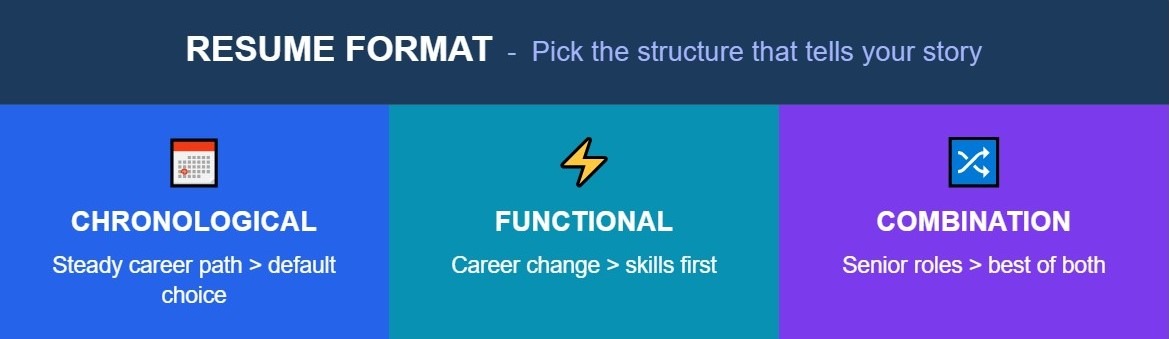
1. Chronological resume (Reverse-Chronological)
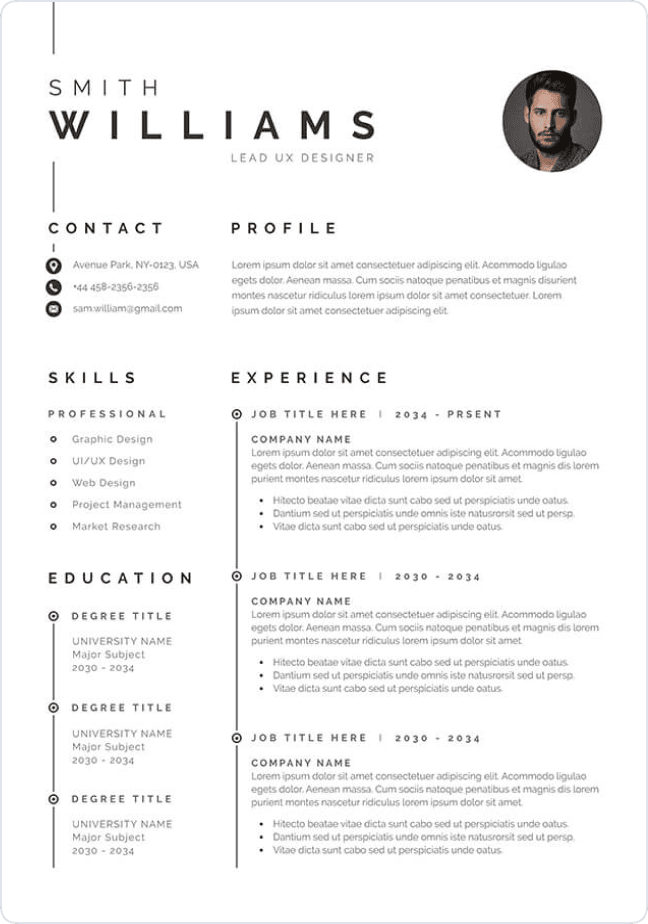
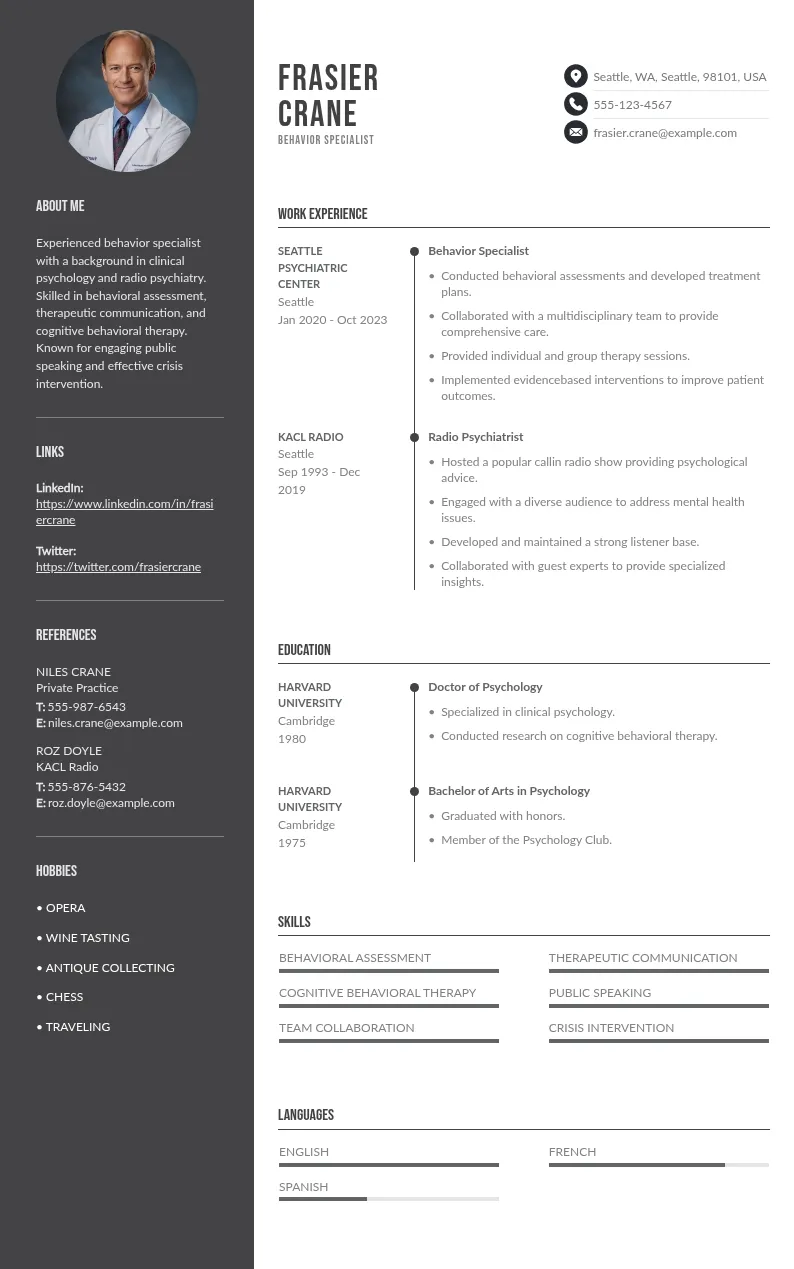
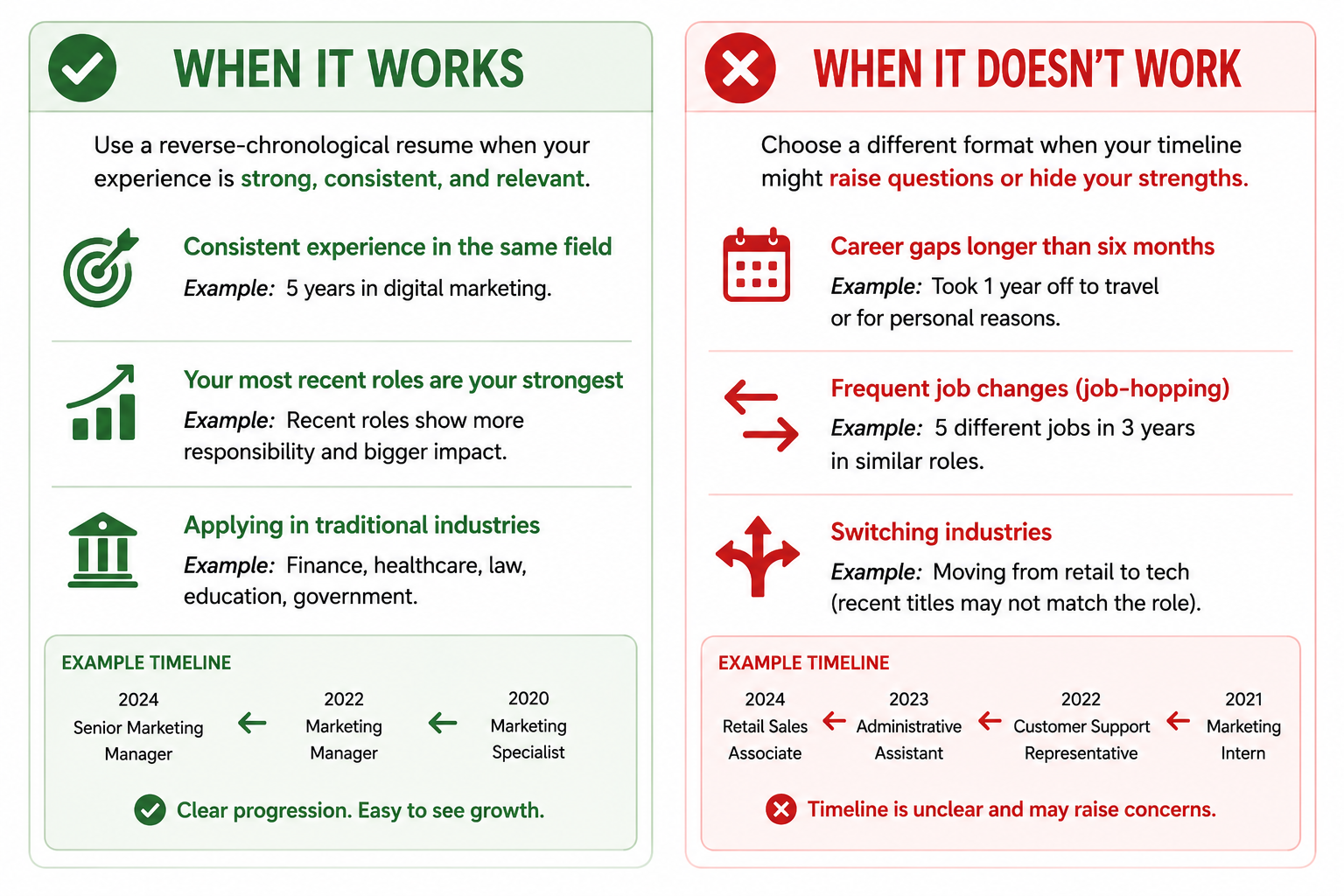
This is the default for good reason. You list your work history starting with your current or most recent job, then work backward. Recruiters scan from top to bottom and see exactly where you are now, where you've been, and how you got there.
What it looks like:
- Contact info at the top
- Professional summary (2-3 sentences)
- Work experience in reverse order (most recent first)
- Education
- Skills section
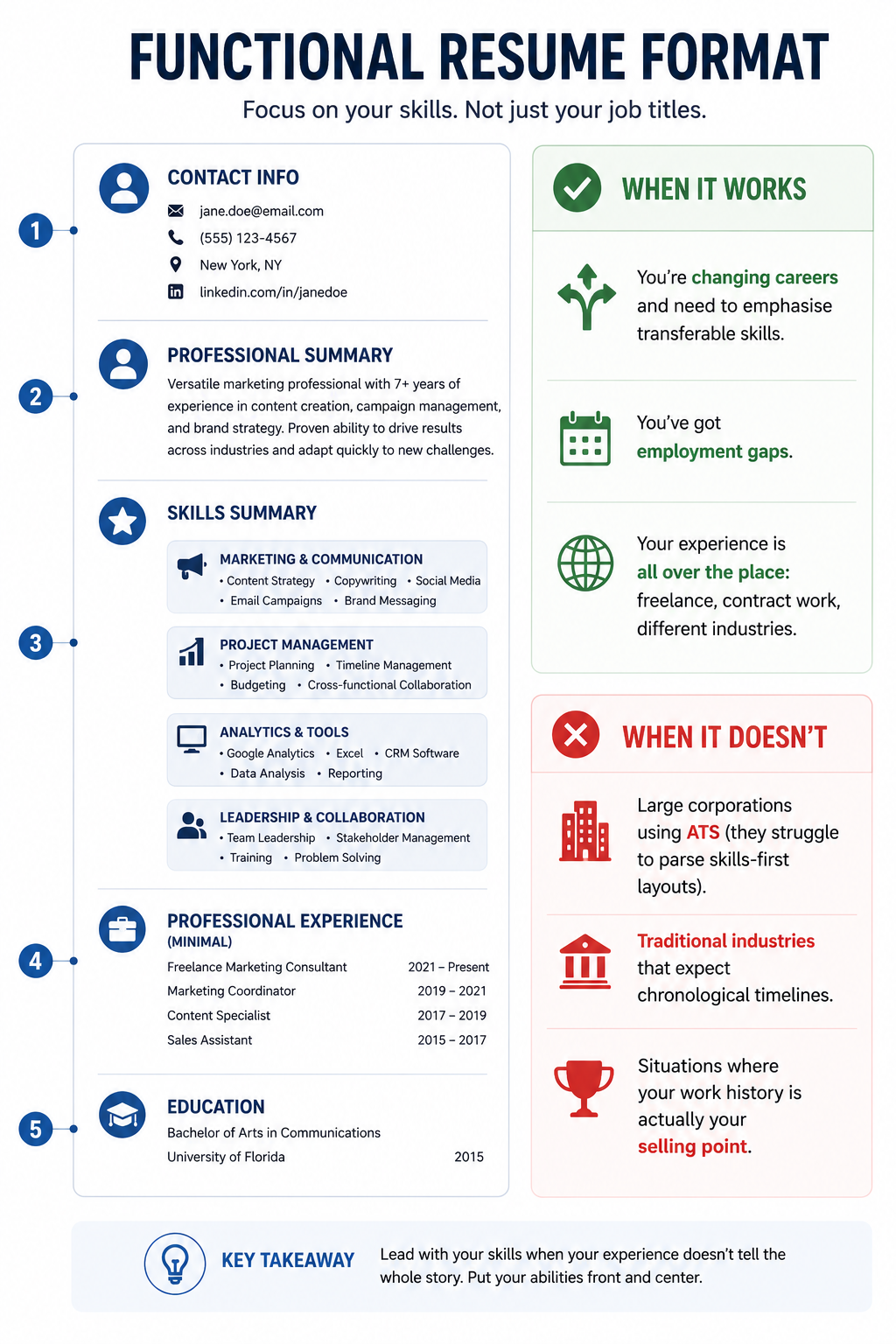
2. Functional resume format (Skills-based structure)
This format puts your skills front and center, then lists your work history as an afterthought. Instead of organising around job titles and dates, you organise around what you can actually do. For a deeper look, see our guide to the skills-based resume format.
3. Combination resume (Hybrid CV format)
This splits the difference. You lead with a “Skills” summary, then follow with a detailed chronological work history. It's become increasingly popular because it gives recruiters both what they want. See our combination resume templates to get started.
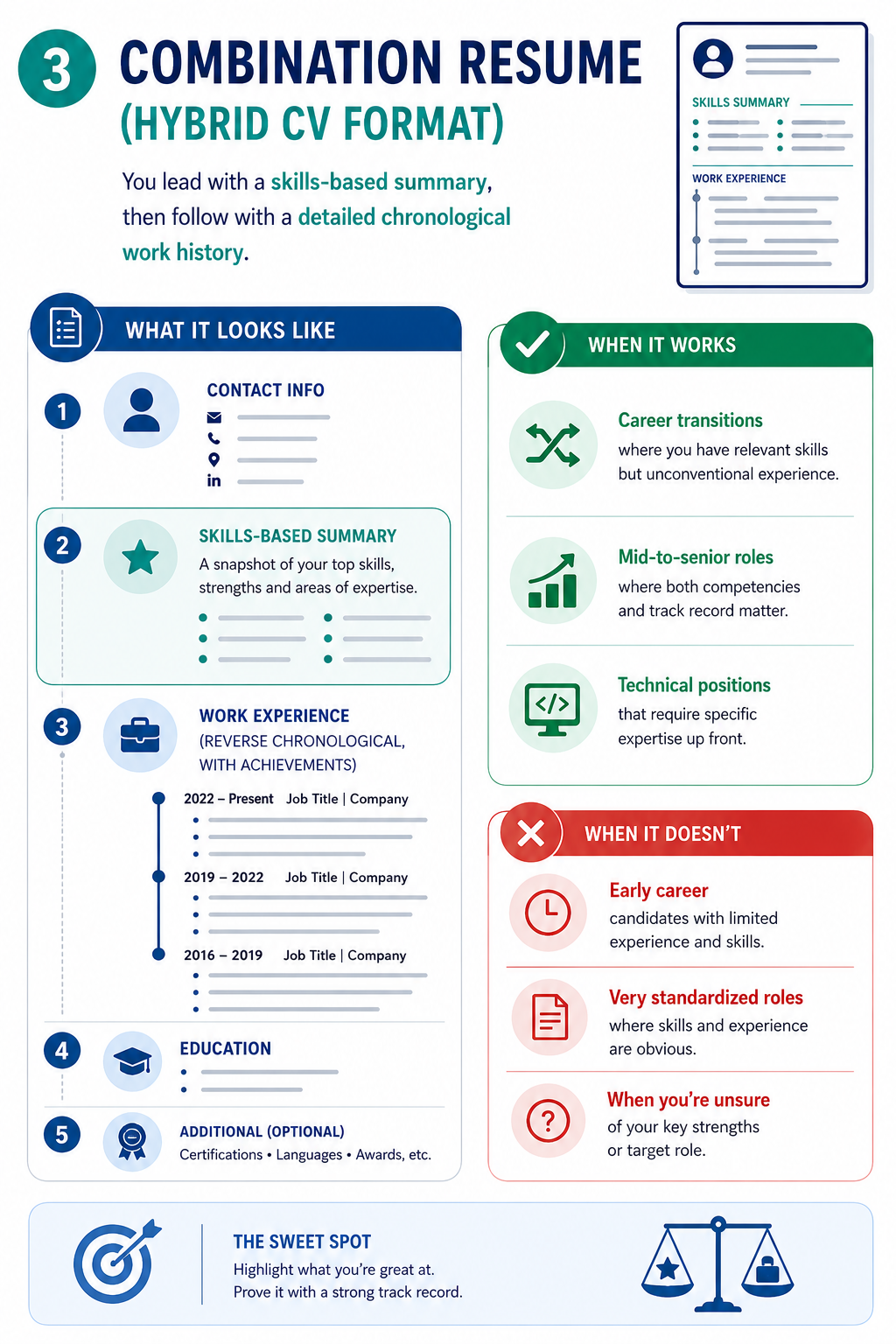
You should use it for :
- Career transitions where you have relevant skills but unconventional experience.
- Mid-to-senior roles where both competencies and track record matter.
- Technical positions that require specific expertise up front.
So which resume format should you actually use?
The honest answer: it depends on what story you're trying to tell and who's reading it.
- If you're just starting out
Recent grads and entry-level candidates: go chronological. Even if your work history is thin (internships, part-time jobs, campus roles), organising it chronologically shows you're building something. Lead with your education section since it's probably your strongest credential right now. Our guide on how to write a resume with no experience covers every angle.
- If you're changing career
This is where combination or functional formats shine. You need recruiters to see your transferable skills before they see job titles that don't match what you're applying for. Read our full career change resume guide for step-by-step help.
Combination is usually the better bet because it keeps your work history visible while front-loading the skills that matter. Functional can work, but always include employment dates somewhere; hiding them raises more questions than it answers.
- If you're mid-career with solid experience
Chronological is your default. You've built a track record, and recruiters want to see it. Your most recent 10-15 years should show clear progression: bigger responsibilities, better results, harder problems solved.
Consider combination if you're pivoting within your field or if the role requires specific technical competencies that aren't obvious from your job titles.
- If you're targeting Senior or Executive roles
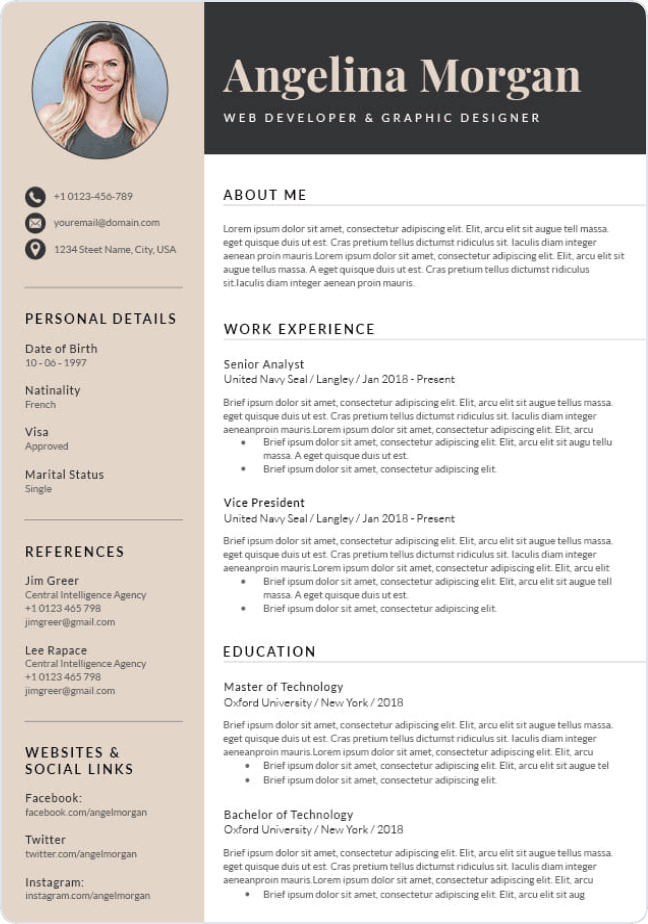
Combination format is your friend. Lead with an executive summary and core competencies (think strategic, not tactical). Follow with a selective work history that emphasises business impact, P&L responsibility, and leadership scope. A two-column resume template can help you use your page space more efficiently at this level.
You're not listing every job you've ever had. You're curating a narrative of increasing influence and results.
ATS-friendly resume: Does it really matter?
You've probably read warnings about applicant tracking systems auto-rejecting resumes. Let's separate what's true from what's marketing.
What's actually happening with ATS in 2026
True:
- 71 % of companies use applicant tracking systems
- 95 % of large corporations rely on them to manage high application volume
- Only about half of mid-sized companies use ATS
Exaggerated:
- '75 % of resumes get auto-rejected': ATS doesn't auto-reject. Every system lets recruiters view the original file.
- 'You need a perfect ATS score': There's no such thing as an ATS score. That's resume-checker marketing.
- 'Modern ATS can't read PDFs': Plain-text PDFs now reach 96.7 % parsability with current tech.
The real issue about ATS: Being found, Not getting rejected
ATS doesn't reject candidates. It parses your resume and stores the data. The actual risk isn't elimination; it's being harder to find when recruiters search their database.
When a recruiter searches for 'five years project management' or 'certified in Salesforce,' your resume needs to surface. That requires accurate parsing, keyword alignment, and clear structure.
When you actually need to care about ATS
Not every application goes through an ATS. Here's when optimisation matters:
HIGH PRIORITY: Optimise if applying to:
- Fortune 500 or large corporations (1,000+ employees)
- Online portals on company career sites
- Traditional industries: finance, healthcare, legal, government
- Roles with 100+ applicants
MEDIUM PRIORITY: Balanced approach for:
- Mid-sized companies (50-500 employees)
- Tech companies and scale-ups
- Remote roles with national applicant pools
LOW PRIORITY: More creative freedom for:
- Small companies under 50 employees
- Startups in growth stage
- Creative agencies, design studios
- Direct referrals from current employees
- Networking introductions
Bottom line: chronological format works best with ATS because recruiters and systems both prefer experience organised chronologically. For a full technical walkthrough, read our ATS resume format guide or download one of our ATS resume templates.
The creative field exception
If you work in design, media, fashion, film, marketing, or any field where your aesthetic judgment matters, your resume is part of your portfolio.
When creative design actually helps you
- Applying to creative agencies, design studios, startups
- Small companies (under 50 employees) where hiring managers are more accessible
- Roles where your portfolio is the primary credential
- Industries that value innovation in all forms, including resume design
When creative design backfires
- Large corporations using ATS (they can't parse complex designs)
- Conservative industries: finance, law, healthcare, government
- When the design doesn't match your field (looks gimmicky)
- Over-designed layouts that make recruiters question your judgment
The Two-Resume strategy that works
Maintain two versions:
Version 1: Portfolio Resume
- Showcases your design aesthetic and creative thinking
- Use for: networking, small companies, direct emails, portfolio submissions
- Include prominent portfolio link
Version 2: ATS-Friendly Backup
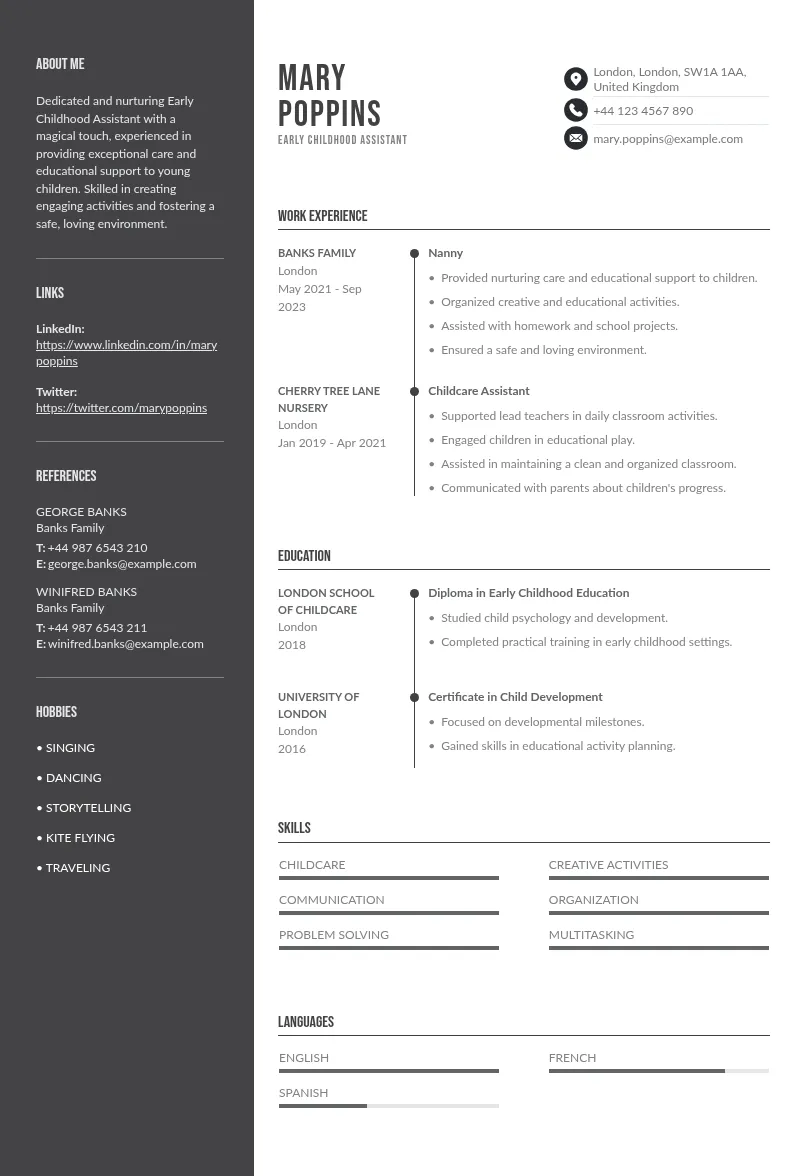
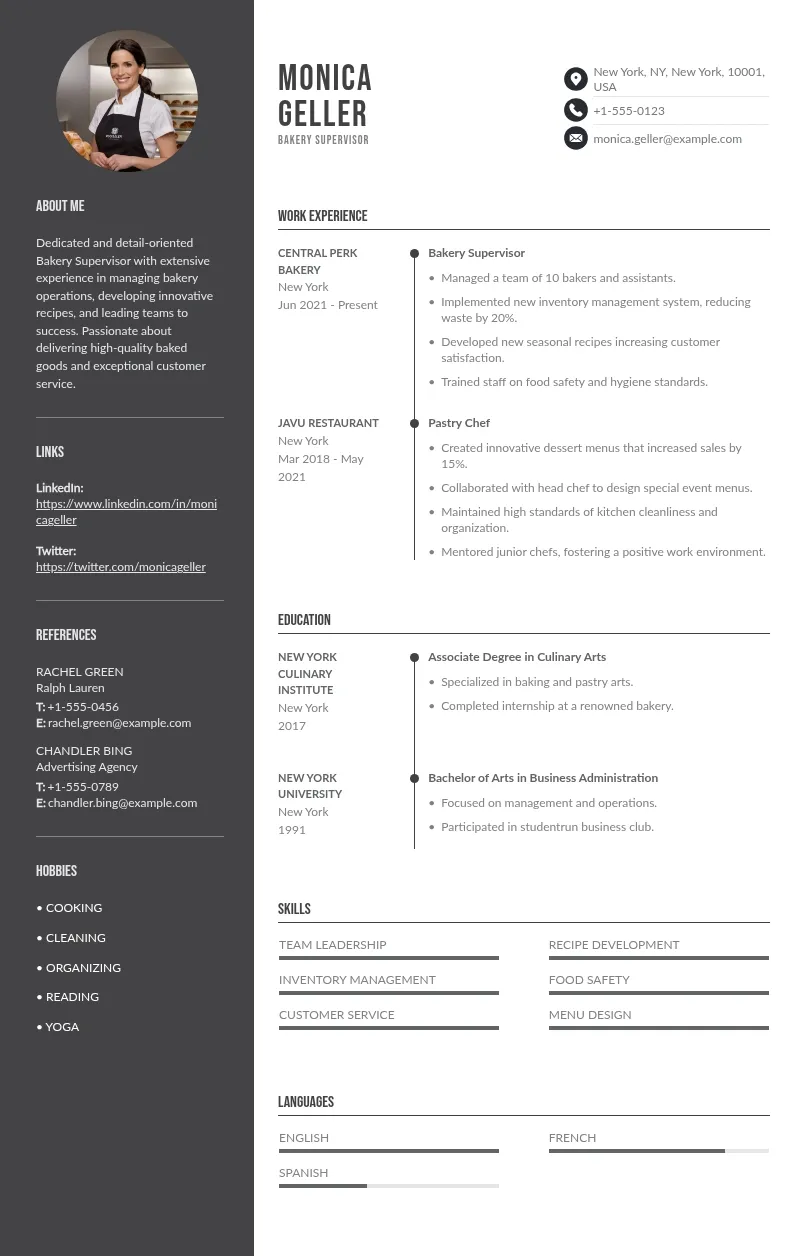
- Clean, parsable, single-column format
- Use for: online applications to large companies, corporate positions
- Still include portfolio link prominently. Our ATS resume templates work as a ready-made Version 2.
Quick decision framework: 3 Questions
When you're staring at a blank page, ask yourself these three things:
Question 1: Is my work history my selling point?
- Yes, steady progression in same field → Chronological
- No, gaps or career change → Go to Question 2
Question 2: Am I switching industries completely?
- Yes, totally new field → Functional (but include work history)
- Sort of, related field → Combination
- No, just took time off → Go to Question 3
Question 3: Do I have strong transferable skills to highlight?
- Yes, many relevant skills → Combination
- Limited experience → Chronological (focus on achievements)
Mistakes that kill otherwise good resumes
Using functional resume to hide red flags
Recruiters recognise this move immediately. If you have gaps or job-hopping, own it briefly in your summary or cover letter. Trying to obscure your timeline makes the problem bigger, not smaller.
Over-designing when it doesn't help
Graphics and colours should make information clearer, not compete with it. If a recruiter can't quickly find your contact info or recent experience, the design has failed.
Sending the same resume everywhere
Keep the same format, but adjust emphasis. Reorder bullet points to match the job description. Update your skills section to mirror their requirements. It takes 10 minutes and doubles your response rate.
Obsessing over ATS when it doesn't apply
If you're emailing a 20-person startup founder directly, you don't need to worry about ATS parsing. Know your audience.
Switching formats mid-search
Pick one primary format for your industry and stick with it. Consistency lets you refine a single strong version rather than maintaining three mediocre ones.
What actually matters
Your resume format is a tool, not a trick. Choose the one that tells your story honestly and makes it easy for recruiters to see why you fit. Chronological works when your recent experience is your best case. Functional works when your skills outweigh your timeline. Combination works when you need both…
ATS matters for large companies and online portals. It matters less for small companies, direct referrals, and creative fields. When in doubt, go chronological. Tailor your content, not your format, for each application.
Sources & references
The following academic, institutional, and industry sources support the data and claims in this guide:
- Jobscan - Fortune 500 ATS Usage Report - Key stat: 98.4% of Fortune 500 companies use an ATS
- Jobscan / CareerPlug 2024 - 250 applications per corporate job opening - average application volume per corporate role
- Harvard Business School & Accenture - Hidden Workers: Untapped Talent - 88% of employers acknowledge their ATS screens out qualified candidates due to rigid criteria
- Select Software Reviews - Applicant Tracking System Statistics - 75% of recruiters use an ATS or automated screening tool
- HR Dive - Recruiters spend 7.4 seconds on a resume - eye-tracking data on initial resume scan time
- HBS Working Knowledge - How to Tap the Talent Automated HR Platforms Miss - ATS used by more than half of companies with 50 to 999 employees
- PR Newswire - Ladders Eye-Tracking Study Press Release - official primary source for the 2018 Ladders study
- The Ladders - You Only Get 7.4 Seconds - practical framing of eye-tracking data for job seekers
- B2B Reviews - Recruitment Statistics 2025 - ATS adoption rates, average cost-per-hire, 2024-2025 hiring trends
- SHRM Workday's ATS Is the Top Choice of the Fortune 500 - ATS market share among large employers, institutional HR source
Create your resume with the best templates