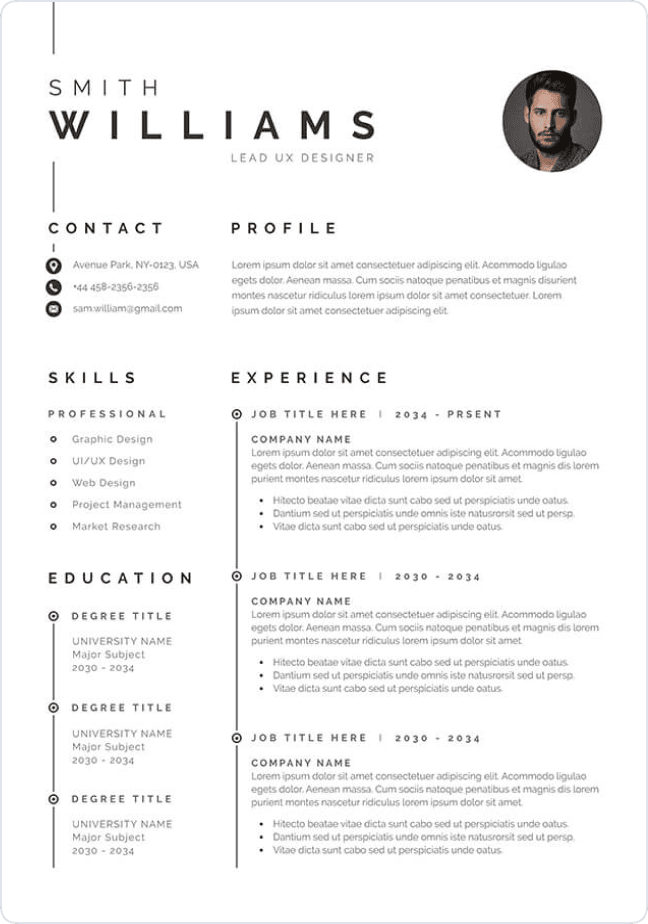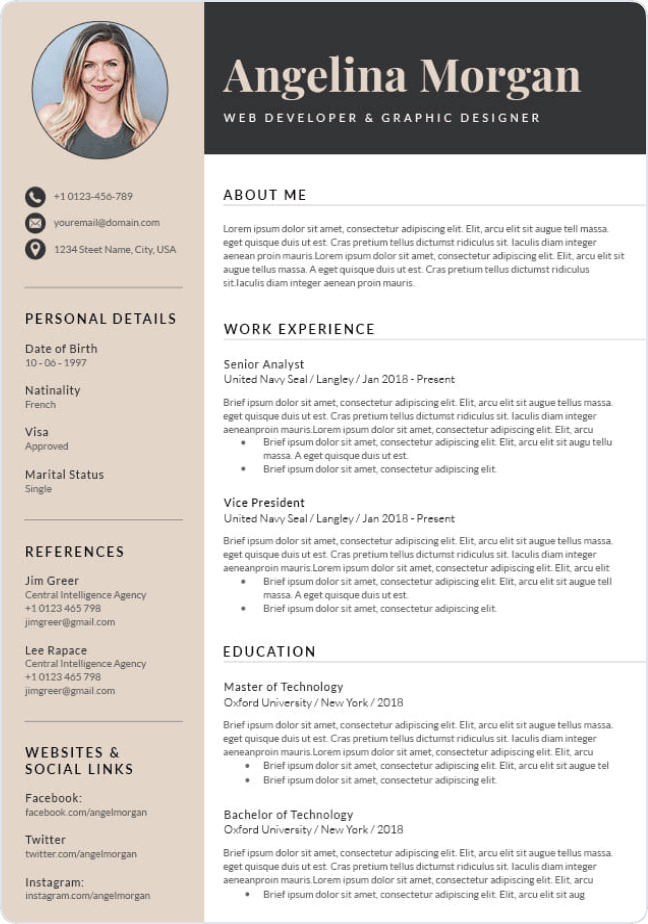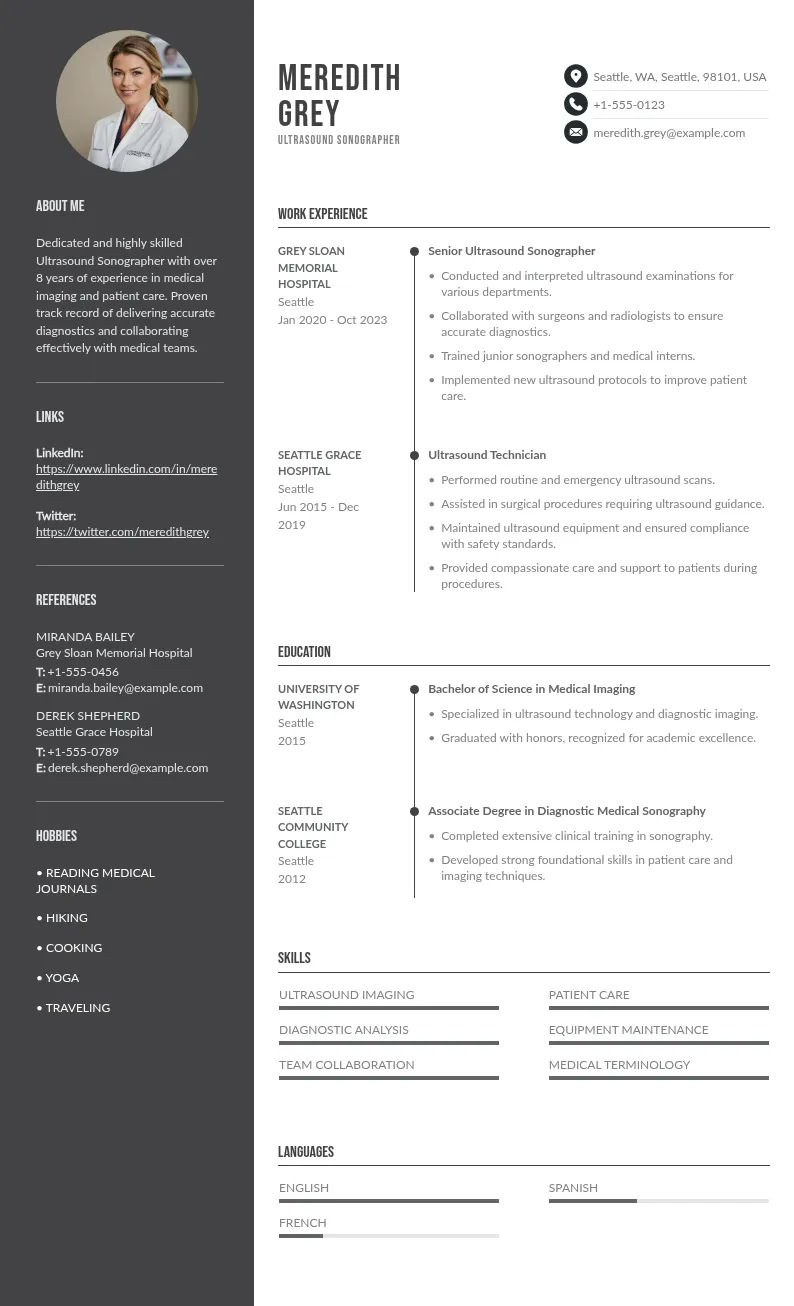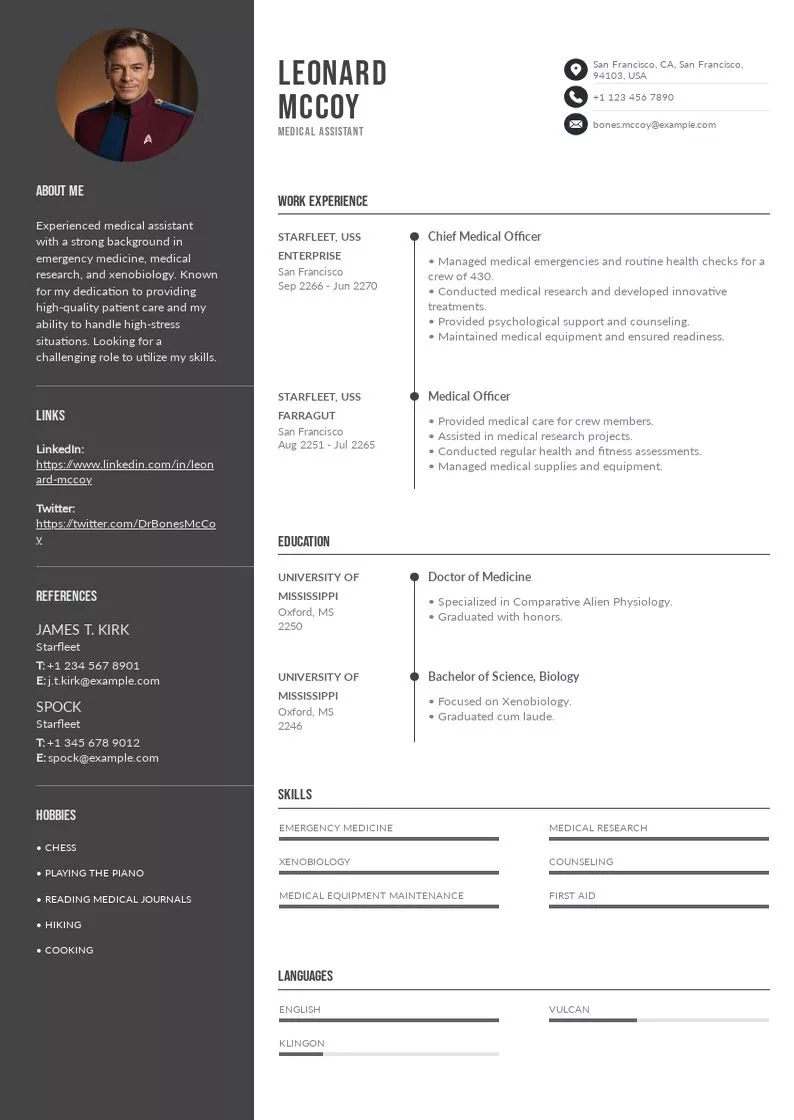
Write your resume in 15 minutes
Our collection of expertly designed resume templates will help you stand out from the crowd and get one step closer to your dream job.


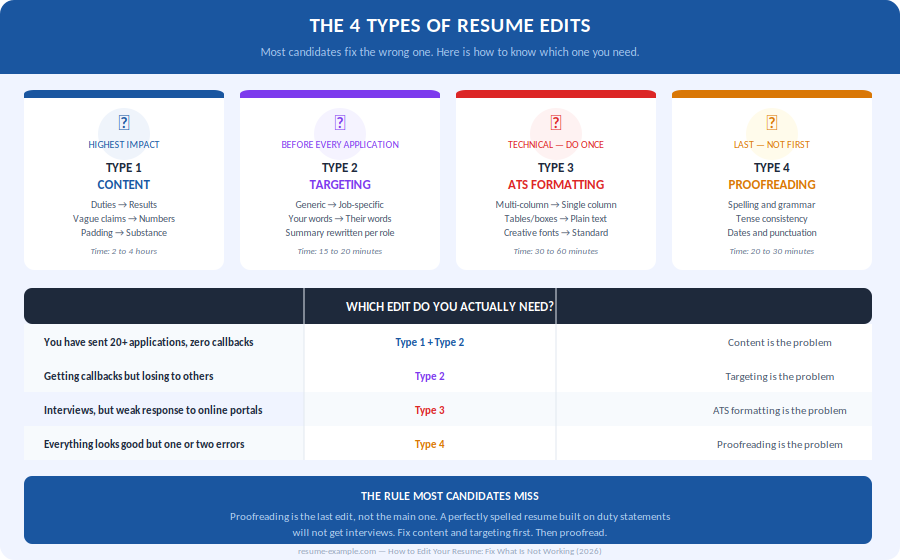
There is not one type of resume edit. There are 4, each targeting a different problem. Mixing them up, or fixing the wrong one, is the main reason qualified candidates rewrite their resume multiple times and keep getting the same result.
This guide shows you which type you need, and what a well-aimed edit actually changes.
4 types of resume edits to know
Before changing a single word, know what kind of problem you have. Editing the wrong layer is how people spend three hours on a resume that still does not work.
Type 1: Resume content editing
This is the edit that actually changes outcomes. It means replacing what you are claiming, not how you say it. Duty statements become result statements. Vague claims get numbers attached to them. Sections that do not serve the target role get cut.
Content editing is not comfortable. It requires asking, for every single line: does this make me more likely to get an interview for this specific job? If the answer is no, the line goes.
The formula that works every time:
Type 2: Resume targeting
A resume written for every employer works for none. Not because it is weak — because it is not speaking to anyone in particular. Targeting is the edit that changes that.
Here is the tension no guide talks about honestly: the machine and the human recruiter are looking for completely different things — and your resume has to satisfy both at the same time.
The practical consequence: use the posting's exact vocabulary where it accurately reflects your experience — and back it up with a result. Not "strong collaborator." Not even just "cross-functional collaboration." But: "Led a cross-functional team of six across product, legal and operations to deliver a contract renewal process three weeks ahead of schedule." The machine finds the keyword. The human finds the proof.
The 15-minute process. Once you have a solid base document:
- Read the posting twice: once to understand the role, once to map its vocabulary.
- Underline every skill, tool, and requirement that appears more than once. Those are your targets.
- For each target: does your resume use the same word and back it up with a result? If not, fix one or both.
- Rewrite your summary in three sentences: your current title, your strongest relevant credential, one concrete result. Forty-five words maximum.
- Reorder your skills section so the competencies this posting emphasizes appear first.
Type 3: Resume ATS formatting
This is a purely technical edit. It has nothing to do with how your resume looks to a human. It has everything to do with whether the software that reads it first can actually parse it.
A resume that breaks in ATS never reaches a recruiter. It does not matter how well it is written.
The fastest diagnostic:
What to fix:
- Single-column layout only: two-column formats cause parsing failures in most systems
- No tables, text boxes, headers, footers, or images inside the document body
- Standard section headings: "Work Experience," "Education," "Skills"
- Standard fonts only: Calibri, Arial, Georgia, Times New Roman
- File format: .docx or PDF depending on the posting; .docx is safer for older systems
Type 4: Resume proofreading
Proofreading is the last edit, not the main one. It will not rescue a resume that fails on content or targeting. What it does is ensure a strong resume does not get filtered out at the final human reading.
- Spelling: use Grammarly or Word spell check, then read manually
- Tense: current role in present tense, all previous roles in past tense, no exceptions
- Date format: pick one style throughout ("May 2022" or "05/2022")
- Bullet punctuation: all end with a period, or none do
- Contact details: test every link, verify the phone number, confirm the email address
5 Situations, 5 Resume edits that change everything
Abstract advice is easy to ignore. These are concrete before/after examples drawn from the five situations candidates face most often. Each one shows a single targeted edit — the type that actually moves the needle.
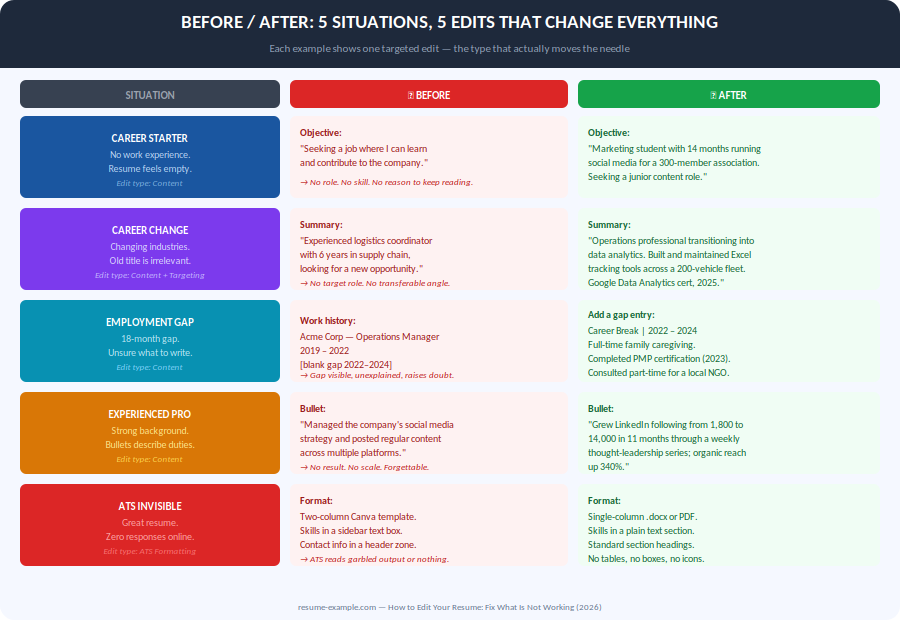
Resume editing by situation
The right edit depends entirely on where you are in your career and what your resume is trying to do. Here are the five most common situations, with specific guidance for each.
Editing a resume with no work experience
The instinct here is to apologize for the gap in professional history. Resist it! The issue is not that you have nothing to say. It is that you have not yet framed what you have in professional terms.
Everything that required showing up, taking responsibility, and producing a result is experience. Babysitting, tutoring, sports captaincy, club coordination, academic projects with real outputs — all of it counts when written correctly.
Editing a resume for a career change
This requires the deepest type of content edit: a structural reframe of what your experience means, not just how it is described. The goal is not to hide where you came from. It is to show where you are going and why your background is actually relevant there.
Start with what transfers. Operations skills cross industries. Client management crosses industries. Data analysis crosses industries. Project coordination crosses industries. The work is translation, not fabrication.
Editing a resume after an employment gap
A gap does not need to be hidden. It needs to be named briefly, honestly, and then left behind. The resume is not the place for lengthy explanations. A single entry is enough.
The real edit here is understanding what to include in that entry. If the gap period included anything professionally relevant — a course, a certificate, freelance work, caregiving that involved real coordination — name it. If it did not, one plain line is still better than a visible blank.

Career Break | 2022 – 2024
Stepped away from full-time employment to provide family care.
Completed PMP certification (2023).
Consulted part-time for a local nonprofit on operations scheduling.
Editing a resume with 10 or more years of experience
Long careers generate long resumes. Long resumes get skimmed, not read. The edit here is aggressive pruning combined with a shift from responsibilities to results.
Two rules that cut length without cutting value:
- List only the last 10 to 15 years in full. Earlier roles go under a single "Earlier Career" entry with titles and dates only, no bullets.
- Every bullet must justify its existence with a number, a scale indicator, or a specific outcome. If it cannot, cut it.
Editing a resume that looks good but gets no responses online
This is an ATS formatting problem. The resume is not being read. It is being parsed by software before any human sees it, and the parsing is failing.
Two formats cause this more than any other: two-column Canva templates and decorated Word documents with text boxes, icons, or headers and footers. Both look polished on screen. Both generate garbled output in ATS systems.
How to target you resume for a specific job in Minutes
Most candidates either submit the same resume everywhere (a mistake) or rewrite the entire document for each application (unnecessary). There is a middle path that takes 15 minutes and consistently outperforms both.
- Step 1 - Read the posting twice. Once to understand the role. Once to extract the language.
- Step 2 - Circle every skill, tool, and requirement that appears more than once. Those are your targets.
- Step 3 - Open your resume. Check that the posting's exact terms appear in your document where they accurately reflect your experience. If a skill is genuinely yours but phrased differently, update the phrasing. If it is not yours, leave it out — a recruiter will ask about it.
- Step 4 - Rewrite your summary in three sentences: your job title, your strongest relevant credential, one concrete result from your most recent role. Forty-five words maximum.
- Step 5 - Reorder your skills section. The skills that appear most in the posting go first.
- Step 6 - Save as firstname-lastname-jobtitle-resume.pdf. Send PDF unless the posting requests .docx.
When to edit vs. When to start over
Not every resume problem is an editing problem. Some documents need to be rebuilt, not polished. Knowing the difference saves hours.
The fastest diagnostic:
Read your most recent role entry aloud. Can you explain, in one sentence, what changed at that company because you were there? If the answer requires more than fifteen words, you have a content problem, not an editing problem.
How often should you update your resume?
The worst time to update your resume is when you need it. Details fade. Numbers become estimates. The phrasing you would have used six months ago no longer comes naturally.
Treat your resume as a living document. Update it within 72 hours of any event worth mentioning. Not because you are job searching, but because the details are fresh and the writing takes ten minutes instead of an hour.
What triggers an update:
- A completed project with a measurable result
- A new responsibility, title change, or promotion
- A certification, course, or qualification completed
- A significant metric: revenue generated, costs reduced, team grown, clients retained
- A change in the tools, platforms, or skills you use regularly
Create your resume with the best templates